
In How not to implement Semantic Search in an existing project we pointed out that measuring performance is crucial for improvement. Here we go into more detail and show three simple tips for improving search results. The evaluation tooling builds on The Age of Refinement.
The dataset
OpenProject is a mature open source project management tool. Their team has been developing it quite in the open for more than 10 years. Bug reports, features and releases live in public work packages. Awesome. And a great dataset :)
Let's take topics from their current roadmap and use the search to retrieve 20 work packages each for our dataset.
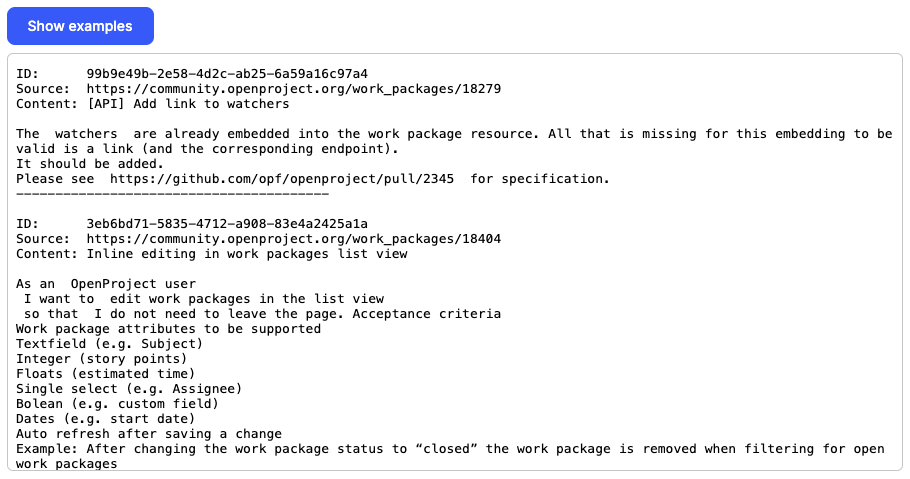
The first search term
Details on RAG and semantic search are plentiful in this blog, so we jump straight to the first search. Let's take a passage from one work package and use it as a query. If our search is any good, it should give us one exact hit. The work package Global Gantt Chart for all projects is in our set. Let's take this passage:
I want to be able to Gant Chart out all my projects by an overall project start and finish date.
This gives us a nice chart of distances with a clear hit:
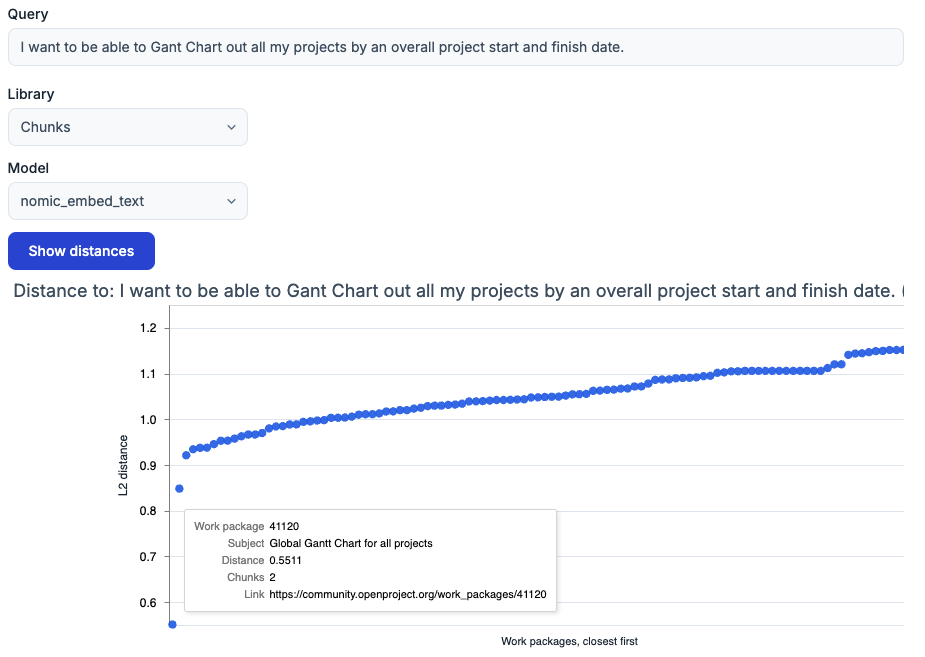
We see the Global Gantt Chart for all projects where we expect it to be, at a distance of 0.5511, while the rest of the canon stays at a safe distance > 0.8.
For a query that is unrelated to our canon, this distribution is entirely different. For instance, if we ask "How do carrots stay fresh in winter?", we see this:
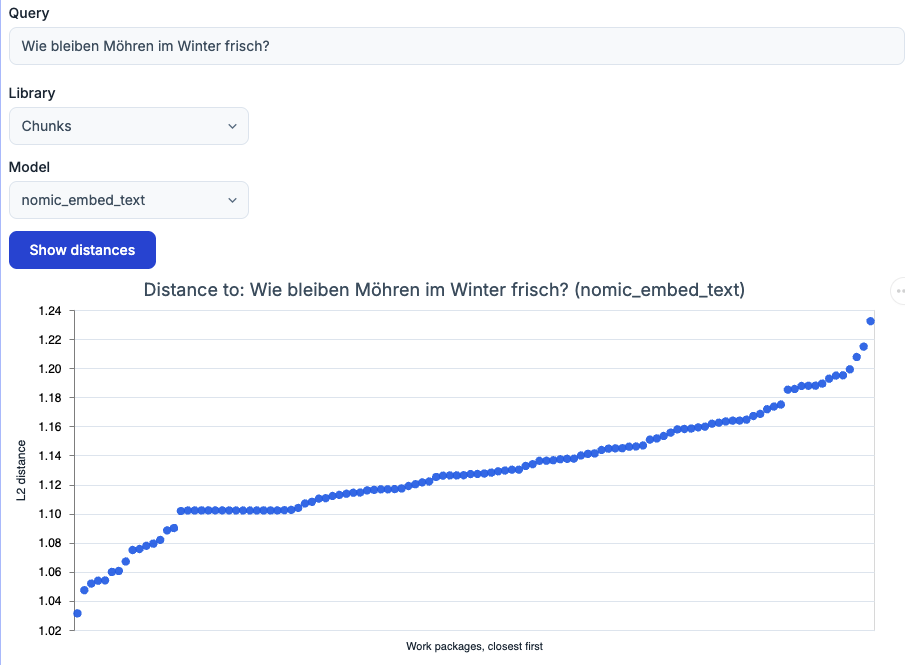
The best hit is at 1.03, the worst is at 1.24. Best and worst are only 0.21 apart, and everything sits close to 1.24, the largest distance we observe in our canon. "1.24" might be our embedding model's way to say: Sorry, no match.
The problem with short search terms
When we shrink down our query to just two words, "Gantt Chart", we still get the hit from before, but our graph becomes more erratic. For instance, a whole bunch of packages appear at the same distance:
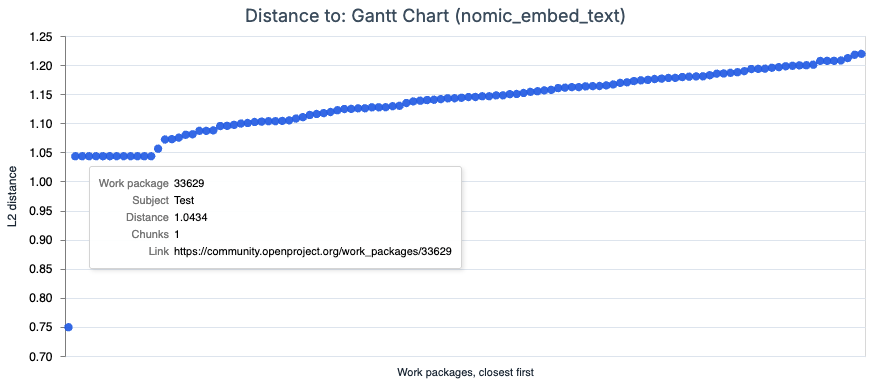
These are tickets with contents like "test". This means that insignificant results start to appear. If we collected just the top 10 results here (top-k), our result set would look broken.
Sadly, that is exactly how people often use short queries in search. Let's see if we can make things a bit better there.
Generating questions
We want to evaluate our semantic search on an automated basis. A real-life dataset from humans is pure gold, but OpenProject does not track any data, which is good. Therefore we need to create a synthetic dataset.
These datasets are the boring twin of Jeopardy, the famous game show where contestants are prompted with an answer instead of a question. As opposed to other quiz shows, the contestants need to find the question that would lead to that answer.
We generate those questions with a bit less ceremony:
The user sends a work package from a project management system.

Write test queries for a search engine.
Each query must be one that a person would type who is looking for exactly this work
package and who does not have its text in front of them.
If we pass this to a smaller model like gemma3:4b, we get very decent results:
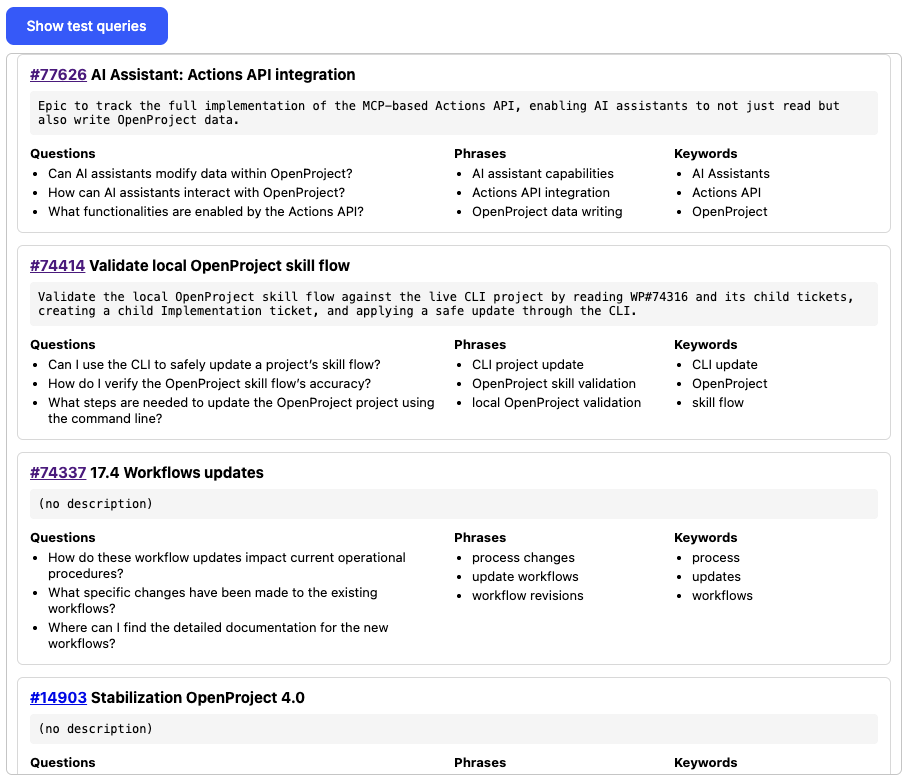
Let's try some out
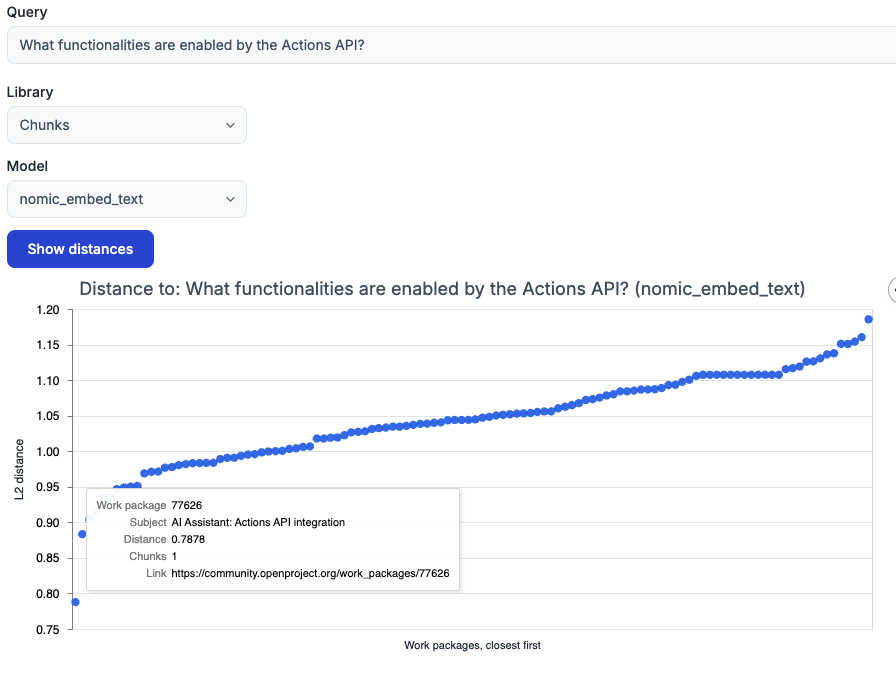
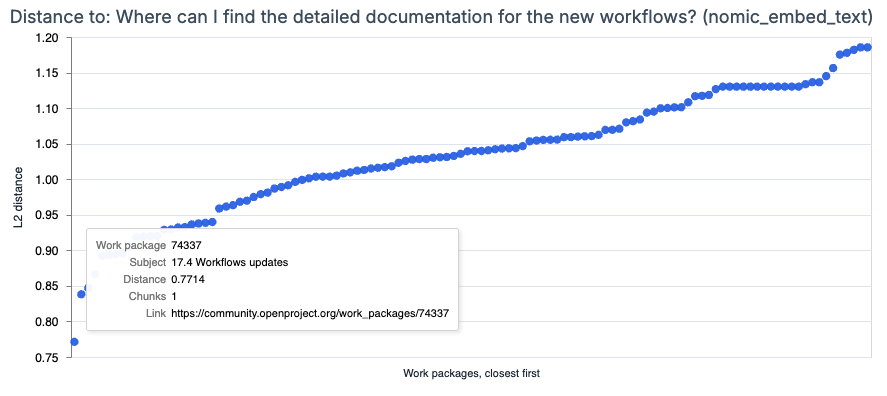
This works surprisingly well! Even the ticket with the empty description is found! But how?
defp content_chunks(work_package, heading, split_opts, formats, chunk_opts) do
  description = PlainText.convert(work_package["description"] || "", formats)

(...)
    {description, :title} ->
      file |> split(description, split_opts) |> Enum.map(&"#{heading}\n\n#{&1}")
(...)
end
We add a header to each chunk, so that the work package title is also accessible. If we leave that out, the work package is not found:
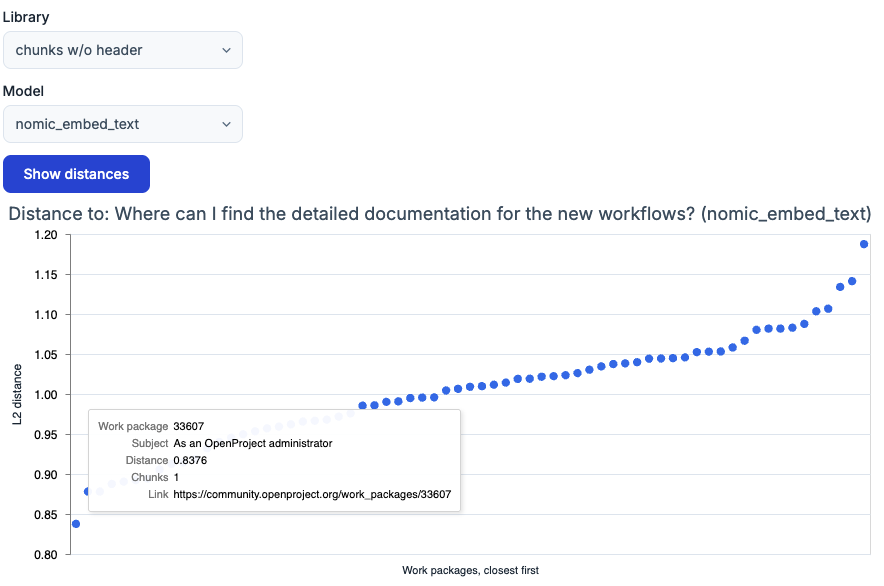
Lesson 1: Always have a header
Your index is blind to meta information if you only push in content. Add a header with filename, URL, parent work package, ID and suddenly your semantic search can do tricks you did not expect.
Lesson 2: Scoring with nDCG@10!!!
What reads like teenage-IM slang ("now, get the nDCG@10!!! out!") is the name of a metric for evaluating search results. Here is how it works:
Our synthetic questions give us one target work package per query and the rank it appears at. nDCG@10 (normalized Discounted Cumulative Gain, cut off after the first ten results) turns those ranks into a single number between 0 and 1.
The general form works on graded relevance: each of the first ten results contributes its relevance divided by log2(rank + 1). Rank 1 counts fully, rank 3 counts half, rank 10 counts 0.29. A relevant result found late is worth less than one found early. The sum is divided by the score of the ideal ordering, the one with all relevant documents first. That normalisation puts every query between 0 and 1, so we can average across queries with different numbers of relevant documents.
Our dataset has exactly one relevant work package per question, so the formula collapses to 1 / log2(rank + 1), and to 0 if the work package misses the top ten:
| rank of the target | nDCG@10 |
|---|---|
| 1 | 1.00 |
| 2 | 0.63 |
| 3 | 0.50 |
| 5 | 0.39 |
| 10 | 0.29 |
| not in the top ten | 0.00 |
Averaged over all questions this rewards what we care about: not "was the work package found somewhere in the results" but "was it found early". The cutoff is a product decision, not math. Ten results are a first page; for a RAG context window you might score @5 instead.